
Node.Js to Kubernetes journy

Node.Js to Kubernetes journy

Hello all,

Yea yea long time no see 🙂 I know, I haven’t share a new improvement story for long time . Improvement is a kind of life style for me but I couldn’t have time share all of it.

In the mean time I had a lots of changes in my life but the most important is , I have owned my own company , Bigs Bilisim Ltd.Sti. “https://www.bigsbilisim.com

This days , I have some spare time to write a blog , here is the my latest post

Node.Js Application on Docker.

I am managing a multinational companies infrastructure as a Linux / Windows admin and Devops Engineer . My customers ERP systems has no access to internet in any way. ERP systems internet access is not allowing even by a proxy because of the company policy.

Every morning one of trainee updating the all exchange rates in the ERP system manually. Time to time wrong entries or similar mistakes can cause couple of problems.

One day one IT Application teams member called me and can we write a small app for this manual operation. Because ERP system has got the ability of import xml files to ERP system . T.C. Mekez Bankası also publishing the rates as xml format. My answer was challenge accepted 🙂

Well I am not a programmer but I though, I can handle it some how.

I have googled couple of similar solutions and scenarios about the requested solution. I have found the node.js world.

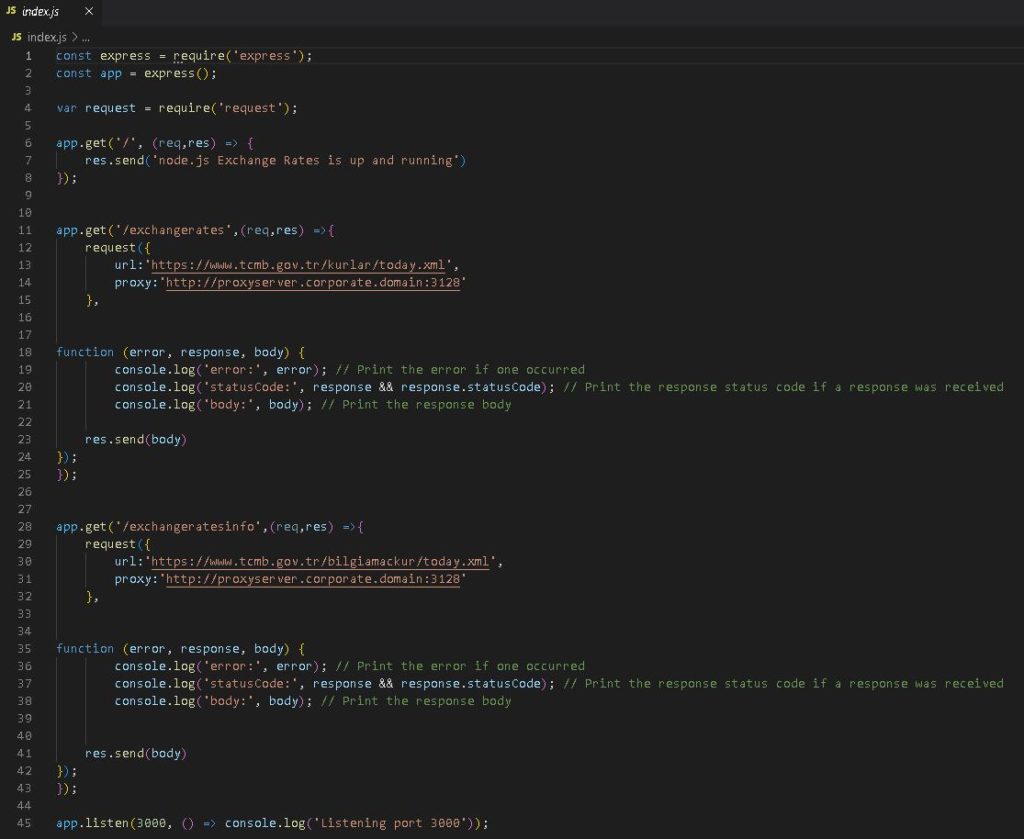
I have wrote the code in one day , If you consider , I don’t have programmer background , it is good timing , I guess.

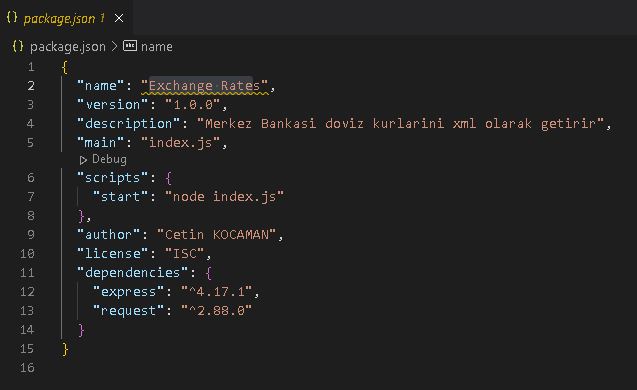
Here is the code of

index.js and package.json

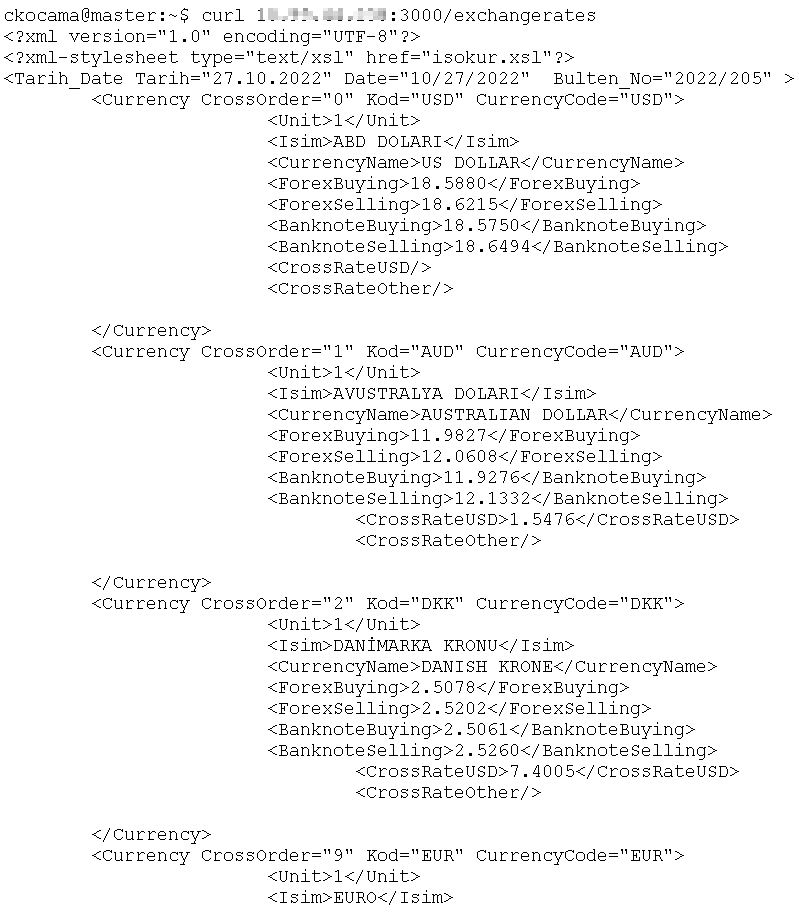
Now when I have run the program in node js it is getting the exchange rates as in xml format by calling url;

Like ;

curl xxx.xxx.xxx.xxx:3000/exchangerates

When they have try to call this url via ERP systems it was successfully entering the Exhange Ratest in it.

Now the challenge is how this small program run in smooth environment without any effects.

This wasn’t a hard task to do it but this time I would like to made a fantasy;

Lets dockerize it.

I have share this program and my dockerize fantasy with the customer, They love it and they were really looking forward the taste it of container technology .

First I have install docker desktop to my machine ,

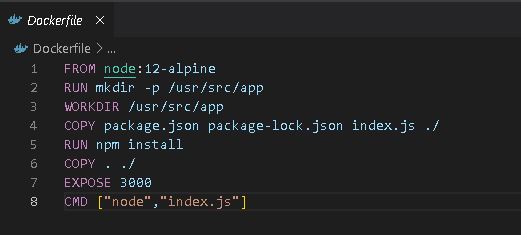
It was another challenge for me , but after watching couple of video , I have prepared the Docker file for this program.

Now I need to create the docker container on my desktop.

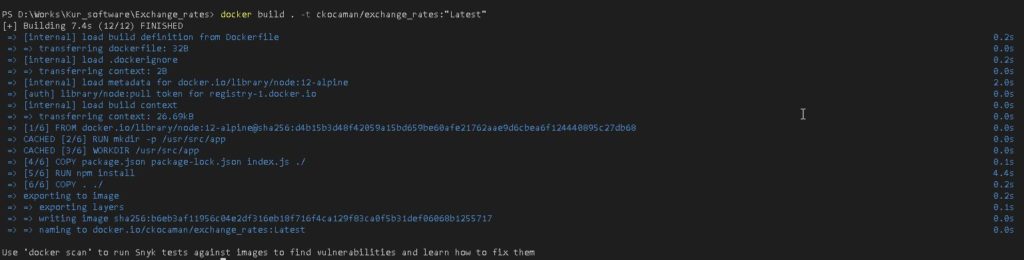
I have used this command:

docker build . -t ckocaman/exchange_rates:”Latest”

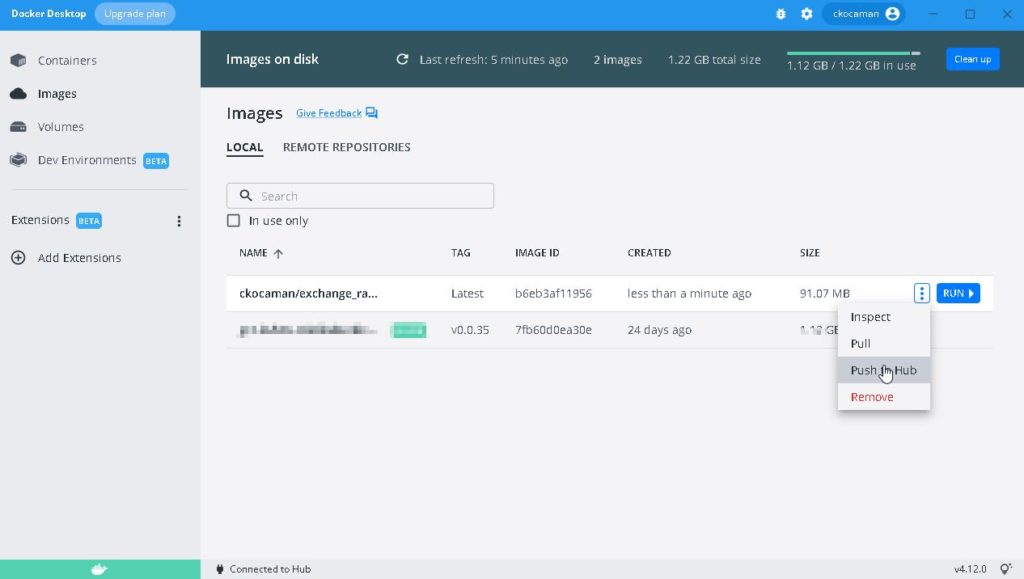
After creating the container I have push it to my docker hub account.

After pushed to hub , I can install on any containerized technology system.

At the beginning it was working on a single docker server , in these days it is a part of a kubernetes cluster as a pod and service.

This small application development story has been opened the application virtualization technology window to me. Well I am still learning it ( I hope every IT Guys keep learning every day !) , but I assume I can do better things with that .

New Project with Devops Chain Tools

Starting  to the Devops Journey

In April 2019, we initiated building a DevOps environment in our corporate while starting a new project.
I will give a short brief for every main actors in the DevOps chain and finally show the continuous delivery flow of our project.

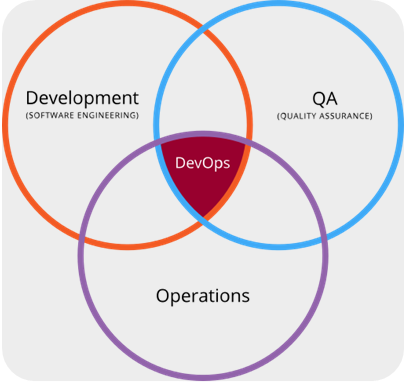
What is DevOps?

  • Is a set of software development practices
  • Combines software development and information technology operations to shorten the systems development life cycle
  • Delivering features, fixes, and updates frequently in close alignment with business objectives

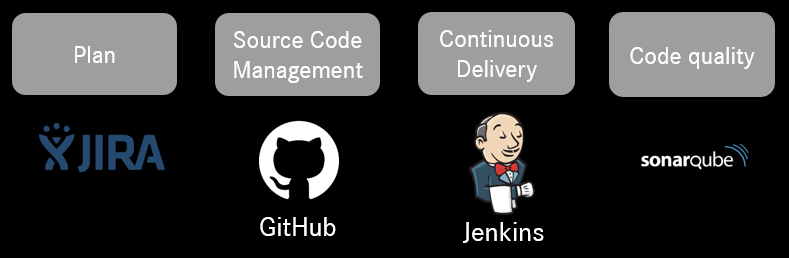
Current DevOps Chain in our project:

A DevOps toolchain is a set or combination of tools that aid in the delivery, development, and management of software applications throughout the systems development life cycle, as coordinated by an organisation that uses DevOps practices. Below picture shows the actors in our project DevOps chain:

What is Jira?

Jira is a issue tracking product developed by Atlassian that allows bug tracking and agile project management.

  • Plan – Create user stories and issues, plan sprints, and distribute tasks across your software team
  • Track – Prioritize and discuss your team’s work in full context with complete visibility
  • Release – Ship with confidence and sanity knowing the information you have is always up-to-date.
  • Report – Improve team performance based on real-time, visual data that your team can put to use.

What is GitHub?

GitHub is a code hosting platform for collaboration and version control. GitHub lets you (and others) work together on projects.

What is Jenkins?

Jenkins is an open source automation server which helps to automate the non-human part of the software development process

  • building
  • testing
  • delivering or deploying

What is SonarQube?

SonarQube is the leading product for Continuous Code Quality which detects bugs, code smells, and security vulnerabilities on 20+ programming languages. With a Quality Gate in place(Jenkins), you can fix the leak and therefore improve code quality systematically.

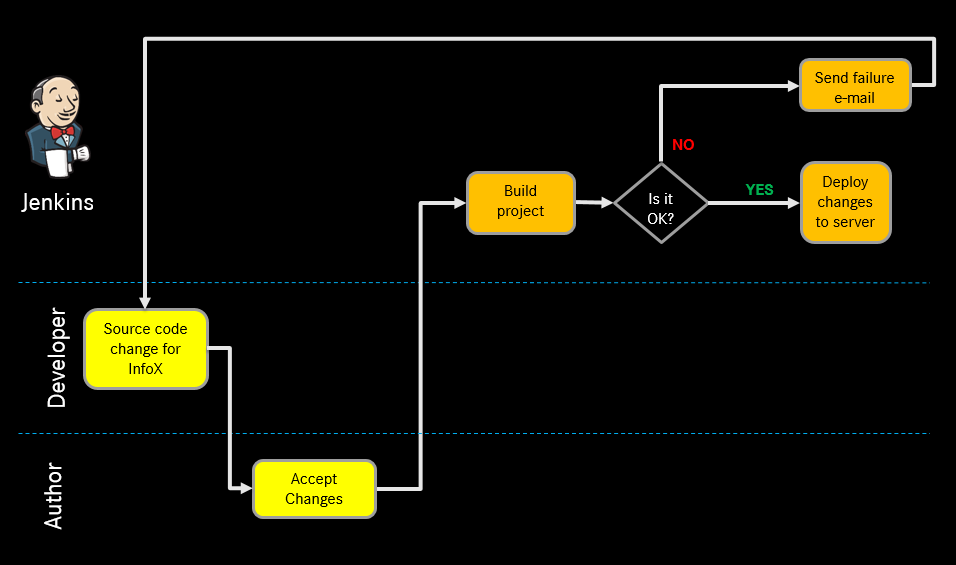
Project Continuous Delivery Flow

Continuous delivery automates the entire software release process. Every revision that is committed triggers an automated flow that builds, tests, and then stages the update. The final decision to deploy to a live production environment is triggered by the developer. Here is the flow prepared for Project:

We are planing to add the selenium test automation tool to our system and we will integrate it with Jenkins. I will share it soon.

In many thanks to for the contributions about it to Serhat Karataş.