
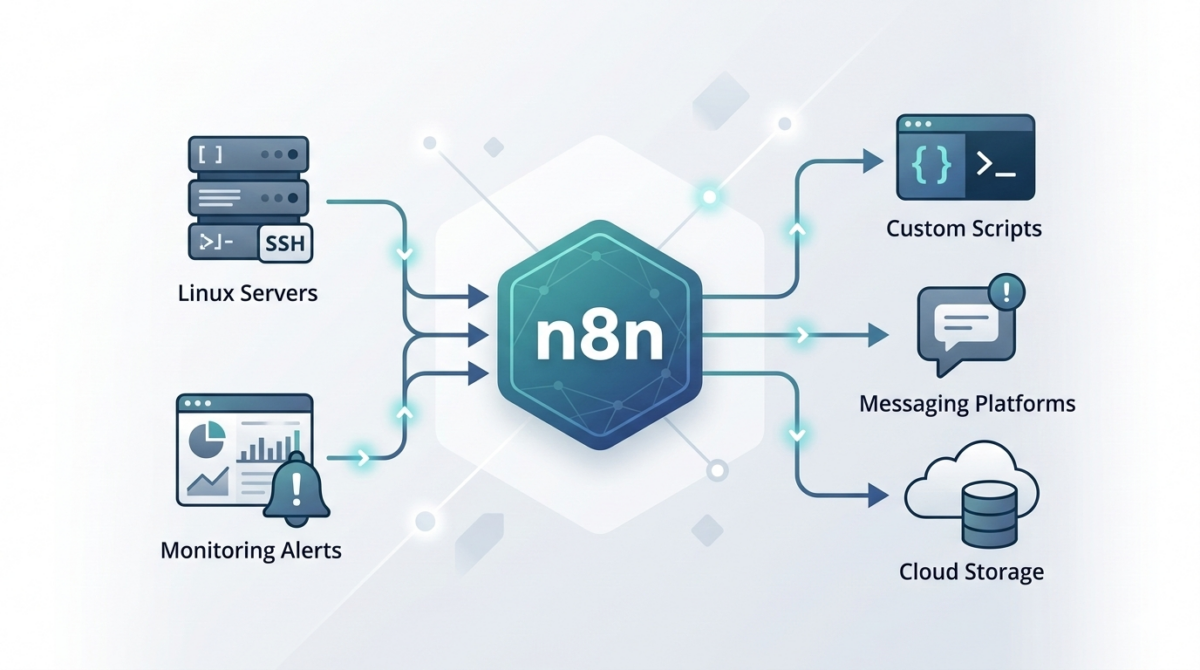
Why IT teams should automate repetitive operations
Modern infrastructure teams spend an enormous amount of time on repetitive operational tasks:
-
Creating user accounts
-
Running routine health checks
-
Sending alerts and reports
-
Triggering scripts across systems
-
Synchronizing data between services
Many of these tasks are simple but frequent, which makes them perfect candidates for automation.
While scripting (Bash, Python, PowerShell) solves part of the problem, orchestration between tools often becomes complex. This is where n8n becomes extremely useful for IT operations teams.
n8n allows you to visually orchestrate automation workflows while still integrating with scripts and APIs.
What is n8n and why it fits IT operations
n8n is an open‑source workflow automation platform designed for connecting systems and automating processes.
Unlike many automation platforms:
-
It can be self-hosted
-
It supports custom code nodes
-
It integrates easily with APIs, scripts, and webhooks
-
It fits well in DevOps and infrastructure environments
For infrastructure teams, this means you can connect:
-
monitoring systems
-
infrastructure scripts
-
messaging platforms
-
ticketing systems
-
CI/CD tools
…all inside a single automation pipeline.
Common infrastructure workflows you can automate with n8n
1. Automated incident notifications
Instead of manually posting alerts to Slack or email, n8n can automatically process monitoring alerts.
Example flow:
-
Monitoring tool sends webhook
-
n8n parses the alert
-
Severity is evaluated
-
Slack/Teams message is sent
-
Incident ticket is automatically created
This removes manual triage steps and ensures consistent communication.
2. Scheduled infrastructure health reports
Operations teams often check server health manually.
With n8n you can schedule a workflow that:
-
runs a script via SSH
-
collects system metrics
-
aggregates results
-
sends a daily infrastructure report
Example workflow:
Trigger → SSH Node → Parse Script Output → Send Email / Slack
3. Automatic user onboarding
When a new employee joins, multiple systems must be configured:
-
Linux access
-
Git repository permissions
-
VPN access
-
monitoring dashboards
n8n can orchestrate these tasks:
HR system webhook → n8n workflow → API calls + scripts → notification to IT
The entire onboarding process becomes consistent and traceable.
4. Script orchestration across servers
Many IT teams rely on scripts but lack a centralized orchestrator.
n8n can act as a lightweight control layer:
Trigger → Run script → Parse result → Decide next step → Notify
For example:
Trigger: webhook
Action: run Ansible / Bash script
Result: evaluate output
Next: send Slack success/failure message
5. Automated backups and validation
Backups are critical but verification is often skipped.
n8n can automate backup workflows:
-
Trigger scheduled job
-
Call backup script
-
Validate file integrity
-
Store metadata
-
Send report to ops channel
Example: Simple server check workflow
A basic workflow might look like this:
-
Cron trigger – runs every hour
-
SSH node – executes a script on the server
-
IF node – checks response values
-
Slack node – sends alert if something is wrong
This type of automation reduces manual monitoring significantly.
Best practices for using n8n in infrastructure environments
Run n8n self-hosted
Self-hosting gives you:
-
data control
-
internal network access
-
better security posture
Most teams run n8n using:
-
Docker
-
Kubernetes
-
VM-based deployment
Use credentials and secrets securely
Avoid storing secrets in plain text inside workflows.
Best practices:
-
environment variables
-
secret managers
-
restricted credential access
Log and monitor workflows
Automation failures should be visible.
Recommended:
-
send workflow failure alerts
-
enable execution logging
-
track automation metrics
Version-control workflows
Store exported workflows in Git so changes are tracked.
This allows:
-
rollback
-
collaboration
-
documentation
Where n8n fits in a DevOps stack
n8n is not a replacement for configuration management tools like:
-
Ansible
-
Terraform
-
Kubernetes operators
Instead, it acts as an automation glue layer between systems.
Typical stack example:
Terraform → infrastructure provisioning
Ansible → configuration management
n8n → operational automation and orchestration
Conclusion
Automation is no longer optional for modern IT teams.
Tools like n8n allow infrastructure engineers to:
-
automate repetitive operations
-
integrate multiple systems
-
reduce manual errors
-
improve operational visibility
By combining scripting skills with workflow orchestration, teams can dramatically increase operational efficiency.